Issue A Book
This form is used to Issue a book to Student / Teacher.
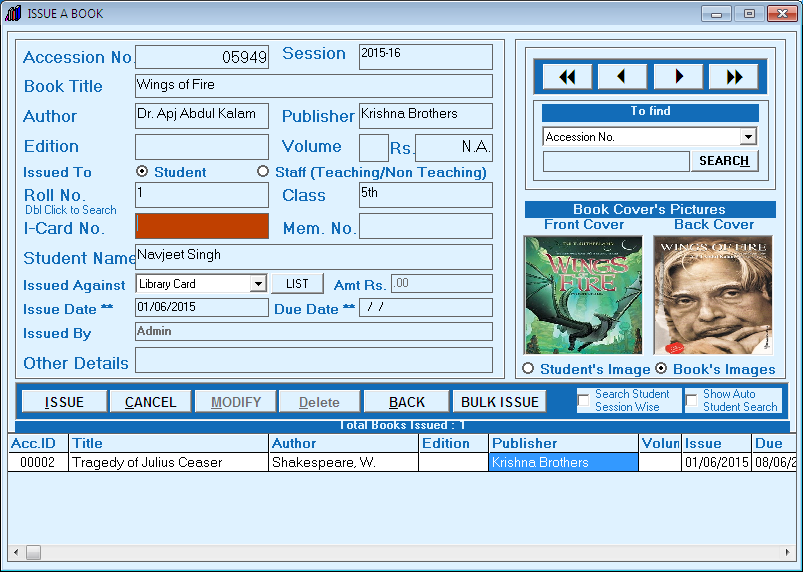
- Enter accession no.of book you can use bar code reader for this .
- Select 'Issued To' for students or staff followed by Roll No. / ID. search roll no. by double click or tick 'show Auto Student Search' you can also search by session.
- Now choose 'Issue Against' library card or others
- Finally click on issue button. you can also click on 'Bulk Issue' in case of more than one book.
Created with the Personal Edition of HelpNDoc: Free HTML Help documentation generator


