Add Publisher
Here you can add new 'Publishers' with other details.
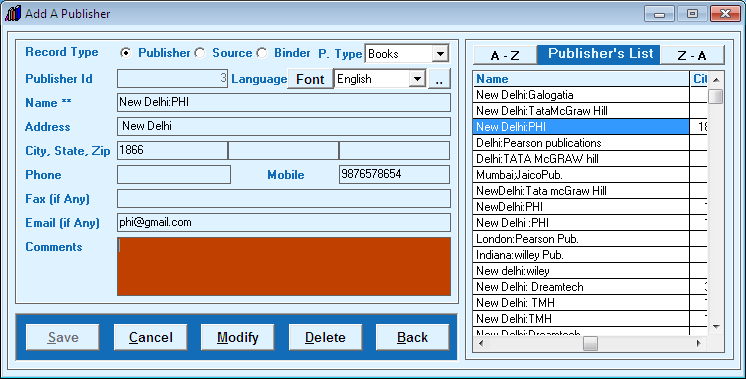
- Choose 'Record Type' from radio buttons which you want to add like publisher, source, binder etc.
- Enter 'Name of Publisher' / 'Source' / 'Binder' with address, city and contact no. etc.
- You can set 'Font' / 'Language' for typing and symbol from ".." button.
- Now click on 'Save' button.
- You can modify any existing entry by double clicking from listed right side entries.
Created with the Personal Edition of HelpNDoc: Easily create PDF Help documents


