Print Bar Code
You can create bar-codes for accession no. and students to get your work easier.
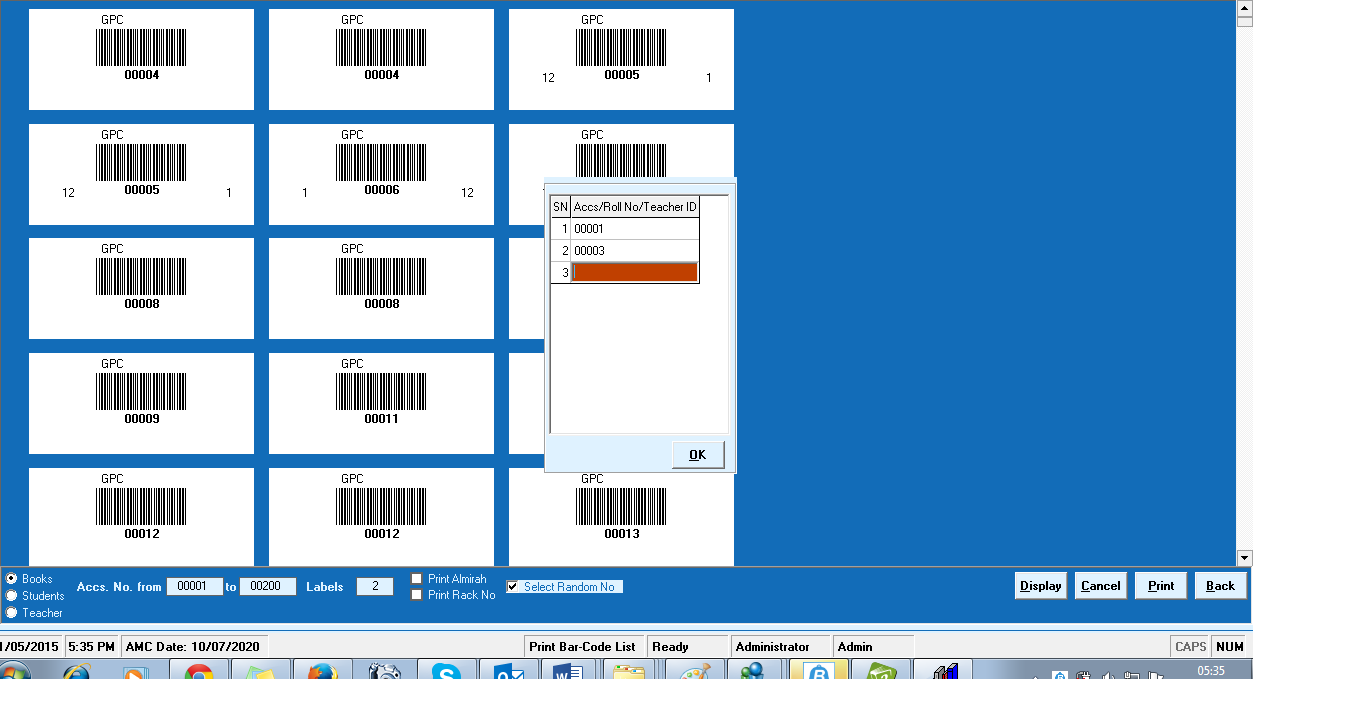
- Choose any one from Books, Students and Teacher to make their bar codes.
- Enter range of 'Accession No.' , 'Id' of Teachers, or 'Roll No.' of students
- Enter 'Labels' quantity of bar codes
- Tick 'Almira' and 'Rack No.' if you want to print on bar codes.
- you can select randomly no. also
- now click on display button to display bar codes and click on print button.
Created with the Personal Edition of HelpNDoc: Create iPhone web-based documentation