Transfer Student
This utility is used to promote student to next class.
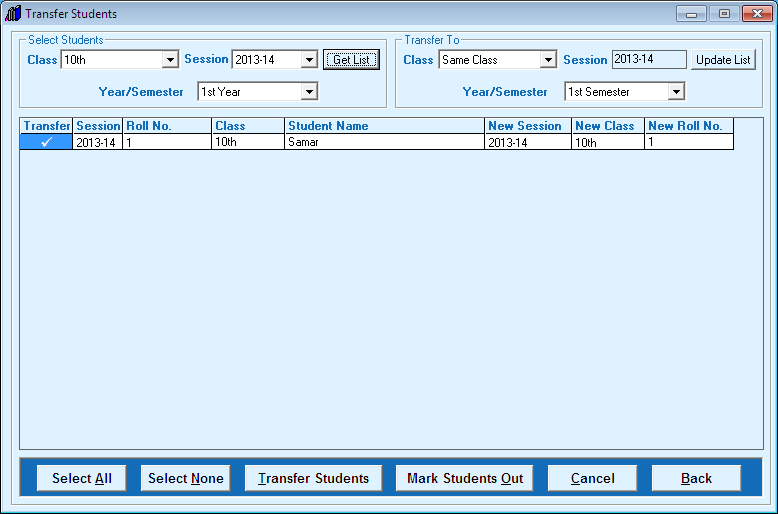
- Select existing class and session of students
- Click on 'Get List' button followed by year and related students will be load in list
- Now select higher class and session followed by year where student going to promote from 'Transfer To' Section ( User can Add New class by selecting New class)
- Click on 'Update List' button
- Now you can click on 'Transfer Students' in higher class or 'Mark students Out' to left the school.
Created with the Personal Edition of HelpNDoc: Easily create Help documents


